Menu and catalogue
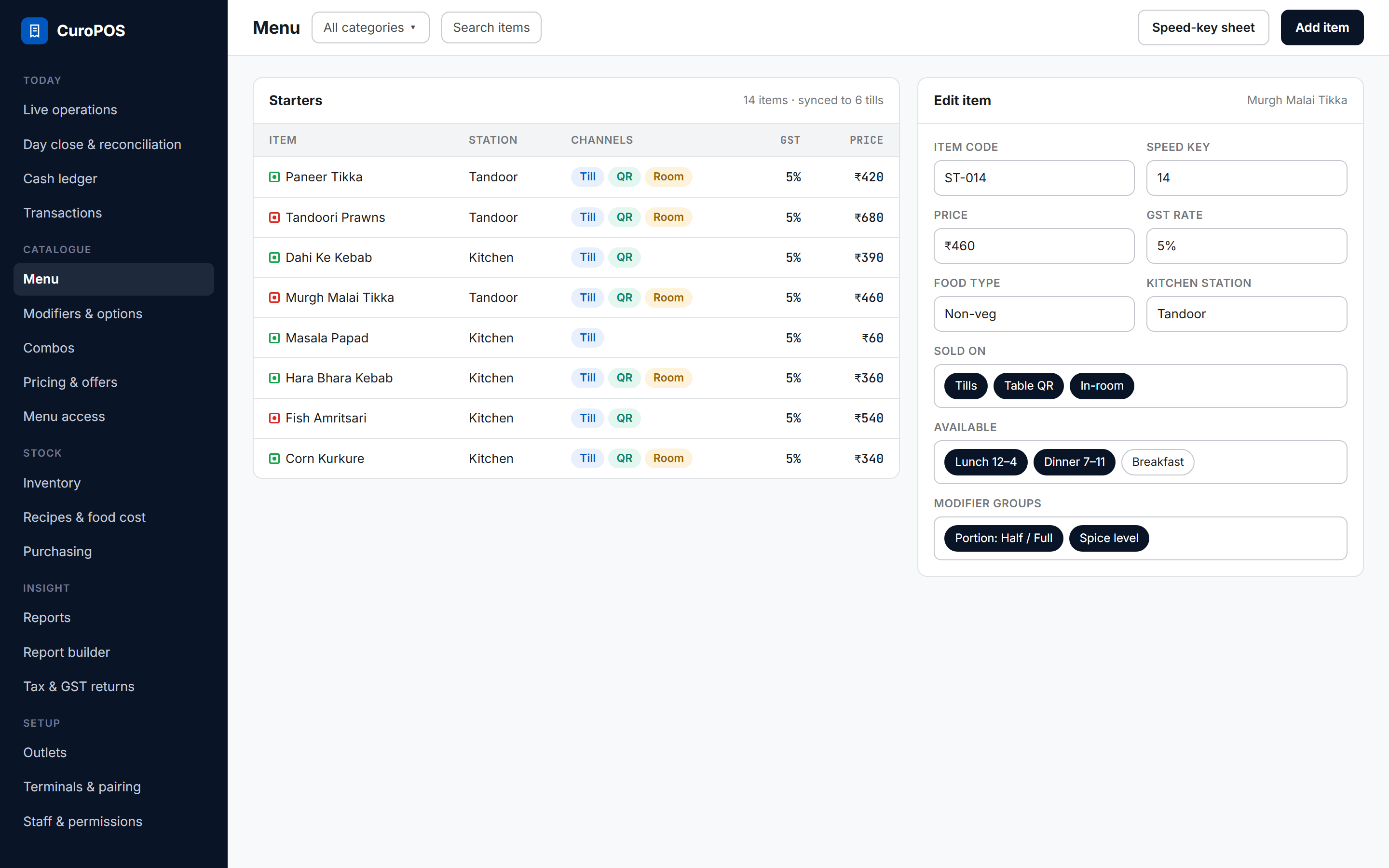
Items, prices, tax, stations, photos, modifiers, combos and day-parts managed centrally, with control over which outlet and which channel sells what.
Build the menu once. Every till, QR and outlet follows.
01
Channels per item
Decide whether an item sells on the tills, the table QR, in-room dining, or all three.
02
Day-parts
Breakfast, lunch and dinner windows, so the right items show at the right hour.
03
Speed keys
Number every item, auto-assign codes and print a speed-key sheet for the counter.
Everything in menu and catalogue
17 featuresItems
- Item code, name, category, price and description
- GST rate per item
- Veg, non-veg and egg marks
- Kitchen station per item
- Day-part availability
- Channel visibility: tills, table QR, in-room
- Item photos
- Numeric speed keys and a printable speed-key sheet
- Availability switch
Building blocks
- Modifier groups, single or multi-select, with price changes
- Combos at a set price that break into their parts
- Separate service and product catalogues for salons
- Default products consumed by each service
Rollout
- Restrict which categories each outlet sells
- Printable menu PDF from the live catalogue
- Central create, edit and delete
- Incremental sync to every till, plus a full re-pull
On the way
Coming soon- Push the menu to delivery apps and mark items out of stock there
See it on your own menu.
We load your menu or catalogue and walk you through a busy hour, the day close and the reports.