Table QR and in-room ordering
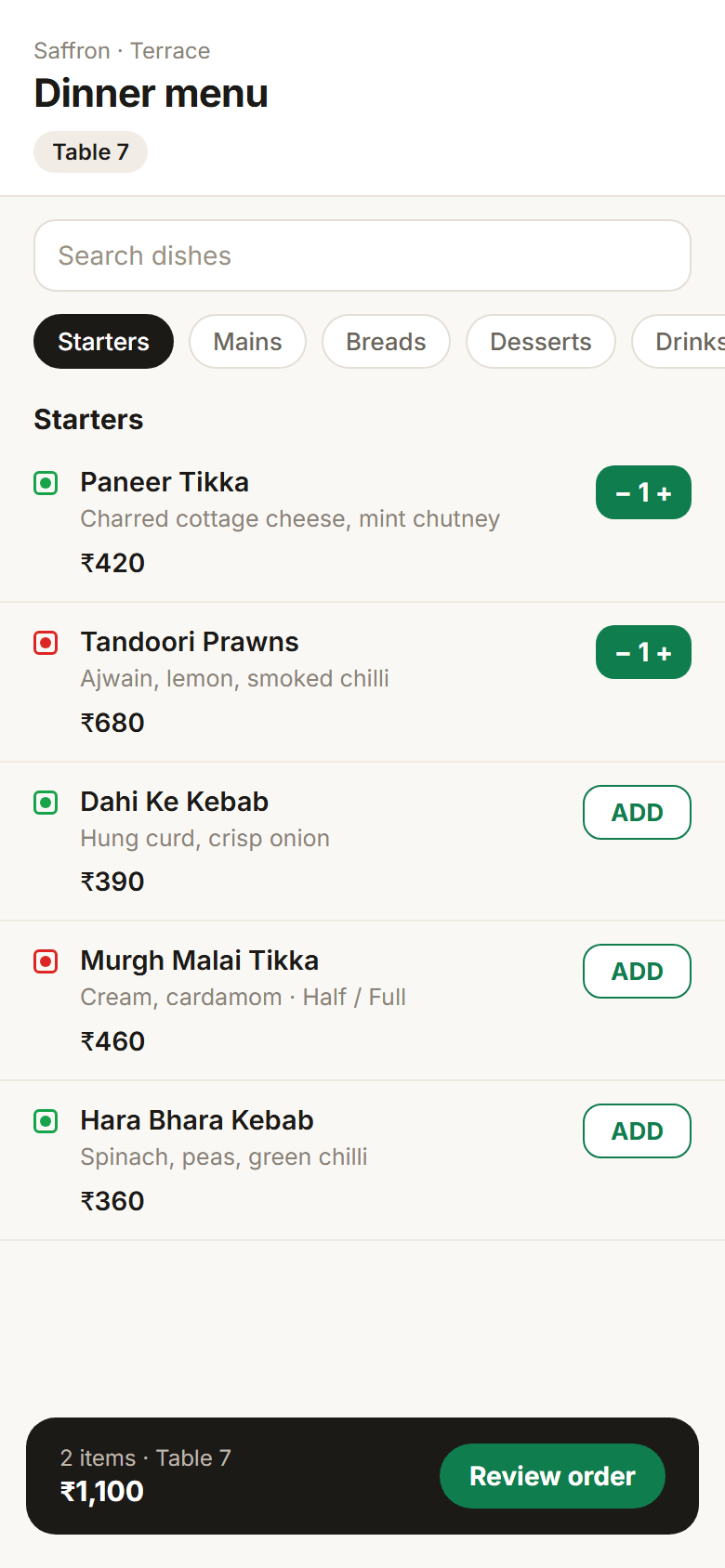
A QR on every table opens your live menu. Guests browse, add notes and order, and the order goes to the kitchen without a waiter writing it down. Hotel guests can order to their room and charge it to their folio.
Guests order from their own phone. The kitchen gets it at once.
01
Your live menu
Prices, photos, veg marks and day-parts come straight from the menu you manage in the back office.
02
Charge it to the room
In a hotel, a guest can verify their room and put the order on their folio.
03
In-room dining
Room service from the guest's stay app, on the same menu and the same kitchen queue.
Everything in table qr and in-room ordering
15 featuresTable QR
- A QR per table that opens the menu
- Categories and search
- Veg and non-veg marks
- Item variations
- Items shown only in their day-part
- Cart and review with optional name and phone
- Order straight to kitchen tickets
- Order more after the first order
- Pay at the table, or charge to the room
In-room dining
- Room-service page in the guest's stay app
- Room-service menu from the POS
- Orders charged to the room folio
- Orders sent to the kitchen display
- Notes for allergies and timing
Control
- Per-item switches for table QR and in-room visibility
On the way
Coming soon- Self-order kiosk app
- Customer ordering app
- Online payment on QR orders
See it on your own menu.
We load your menu or catalogue and walk you through a busy hour, the day close and the reports.